Recommended products
What recommended products are and how to work with them
What are recommended products?
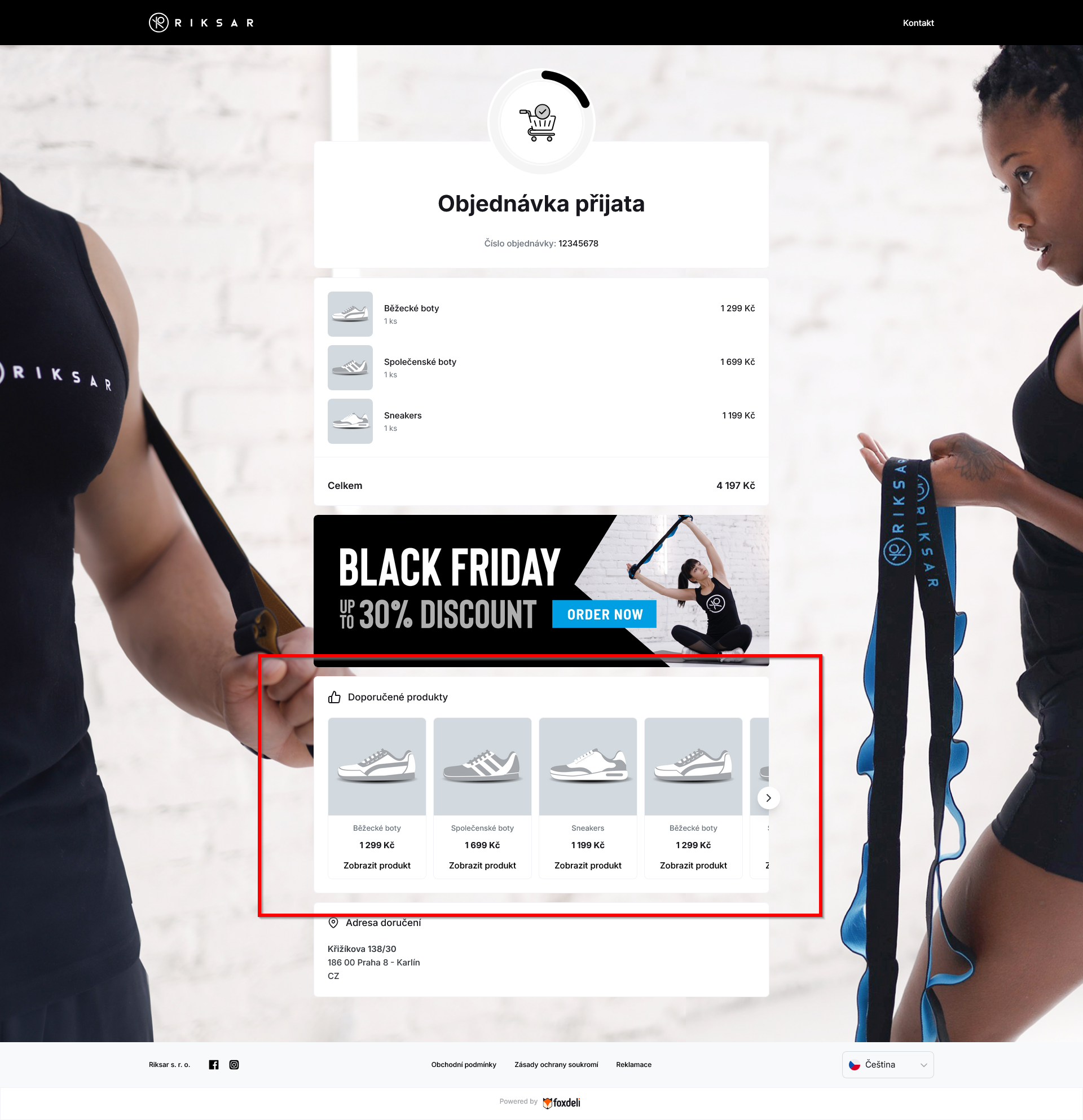
Besides the ordered products and shipment information, Foxdeli can also show recommended products in delivery e-mails and on the Track & Trace page. Customers can click through to your e-shop and buy more.
How to switch the module on
You switch the module on separately for e-mails and for the Track & Trace page:
- E-mails: Communication → Mailing → select a template → Modules tab → switch on Recommended products.
- Track & Trace: Communication → Tracking page → select a template → Modules tab → switch on Recommended products.
Recommended products are switched off by default (in newly created templates).
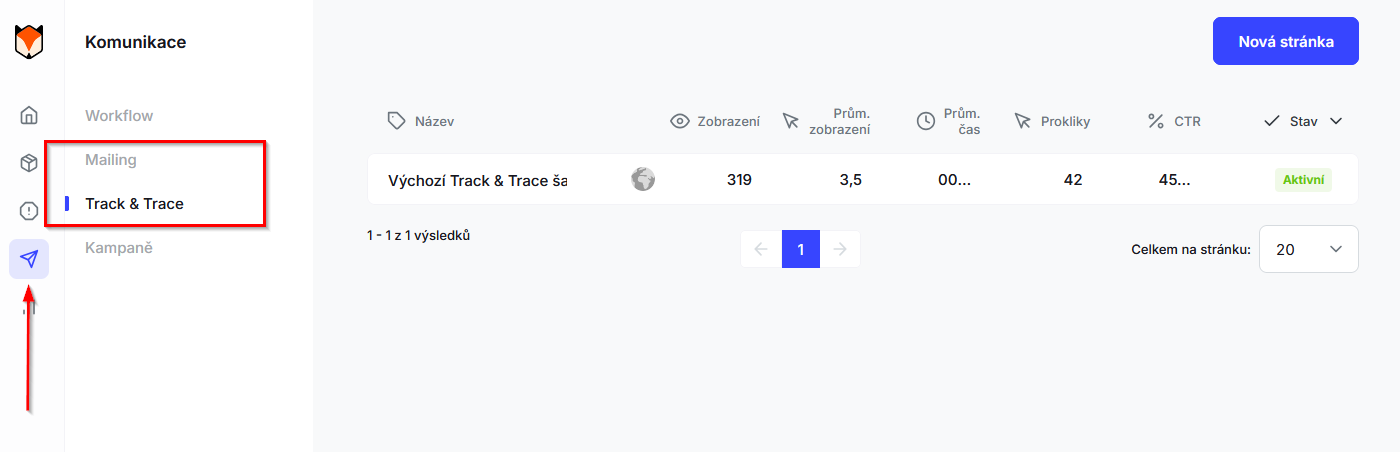
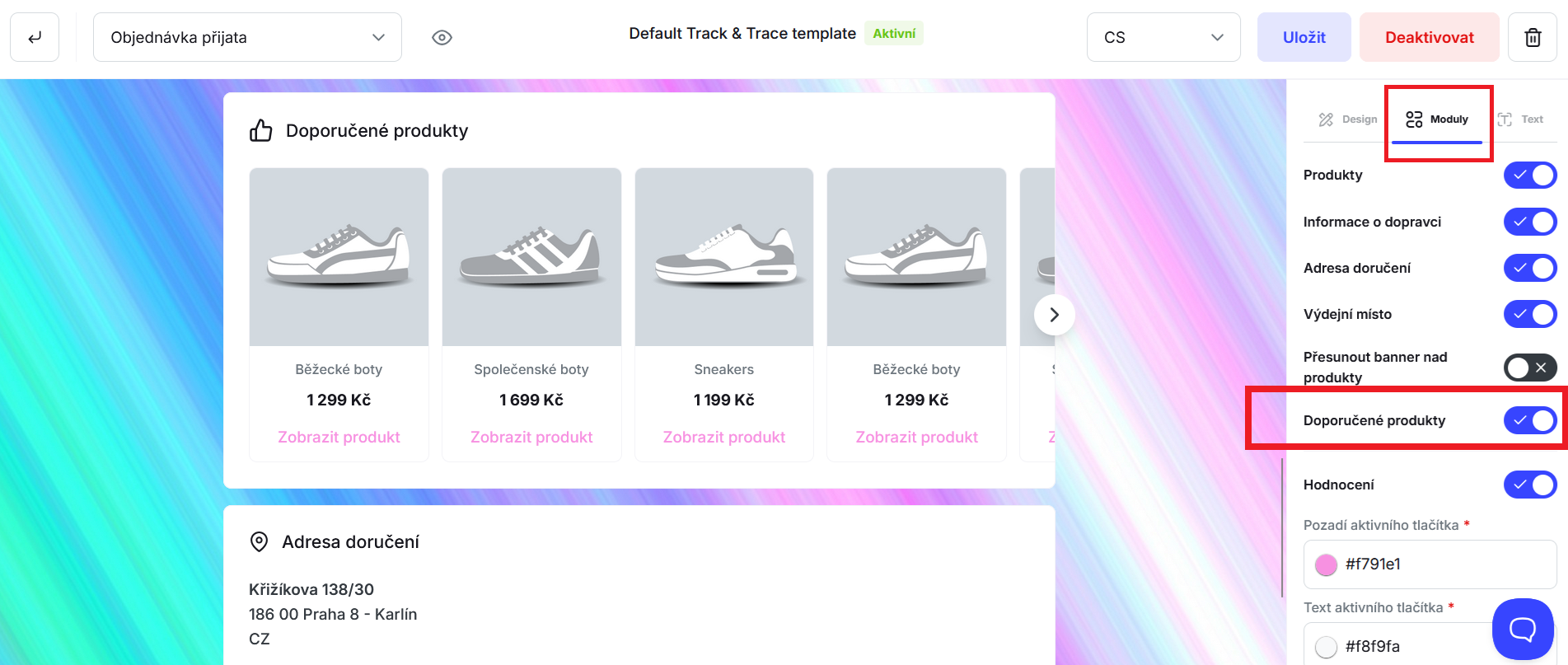
The preview in the editor shows sample products. The actual e-mail and page show only the products your e-shop sent for that order. If an order has no recommended products, the module is not shown.
Where recommended products come from
Shoptet
Foxdeli uses the related products set up for items in your Shoptet admin.
- Make sure the Shoptet Related products extension is active. It is included from the Business plan up; on the Free and Basic plans you buy it separately. Details are in the Shoptet help center.
- In the Shoptet admin, open Products → product detail → Related tab and add related products. You can enter them manually, have them suggested with the Generate related products button, or import them. If you have Pair mutually switched on in the settings, it is enough to set the link on one of the products – Foxdeli picks it up in both directions. Related products filled in automatically from a category (a setting in the category detail) are not transferred to Foxdeli: Shoptet picks these products at random only when the page is displayed, and they are not stored with the product.
How Foxdeli selects the products:
- For an order, it takes the related products of all ordered items: it goes through the items in the order they appear in the order and, for each one, takes the related products in the order they are listed on the Related tab. No more than 12 in total.
- For a product with variants, it uses the price and image of the first variant. Shoptet always links related products to the whole product, not to a variant.
- Foxdeli does not use Shoptet's “Similar products”.
A change to related products in Shoptet shows up in new orders within a few minutes. For existing orders, the list is refreshed the next time the order changes in Shoptet.
Shopify
Foxdeli uses the recommendations generated by Shopify itself (the same ones as in the “You may also like” section of your e-shop).
- Shopify creates them automatically based on sales, product descriptions and collections. If you want to influence the recommendations, set Related products for your products in the Shopify Search & Discovery app (Apps → Search & Discovery → Product recommendations). The steps are described in the Shopify Help Center.
- For an order, Foxdeli takes the recommendations for the ordered products and shows 3, 6 or 9 products, depending on how many Shopify offers.
- For a product with variants, it uses the price and image of the first variant.
Custom API integration
You send the recommended products for each order yourself in the recommendedProducts field, either when you create the order or when you update it. Which products you send is up to you.
- Documentation: Create order – request, field
recommendedProducts. - For each product, we recommend filling in at least the name, product detail link, image and price. Without a link, and without a name or an image, the product will not appear in the e-mail.
- The price is optional. If you include it, it must contain both the amount and the currency (
amountandcurrency); otherwise the API rejects the whole order with a 400 error. - No more than 12 products are stored with an order; any others are not used.
- If you send the field when updating an order, it replaces the entire existing list. An empty array clears the list. If you leave the field out, the list stays unchanged.
Upgates
Recommended products are currently not supported for the Upgates integration.
How many products are shown
- E-mail: up to 9 products
- Track & Trace: up to 12 products
Both in the e-mail and on the page, the products appear in the order in which they arrived with the order.
Analytics
You will find clicks on recommended products in Analytics → Mailing and Analytics → Tracking page, in the Click performance section under the Recommended Product item.
Still have questions?
Contact usMore articles in this category
- Billing address in e-mails by delivery method
- Campaigns – a banner in e-mails and on the Track & Trace page
- Duplicating templates, campaigns and workflows
- E-mails and SMS in the order timeline
- Emoji in the e-mail, Track & Trace and SMS editors
- Fallback SMS when an e-mail doesn't arrive
- Orders in the Seznam Email order overview
- Preview text of delivery e-mails
- Sending e-mails from your own domain (DKIM verification)
- SMS statistics
- SMS to customers
- Withdrawal from contract – button in delivery e-mails
- UTM parameters in links
- Payment details in the order summary
- Attachments in e-mails
- Auto-filling data in the e-mail subject
- Customer PIN code in the e-mail
- Info banner
Articles in this category
- Billing address in e-mails by delivery method
- Campaigns – a banner in e-mails and on the Track & Trace page
- Duplicating templates, campaigns and workflows
- E-mails and SMS in the order timeline
- Emoji in the e-mail, Track & Trace and SMS editors
- Fallback SMS when an e-mail doesn't arrive
- Orders in the Seznam Email order overview
- Preview text of delivery e-mails
- Sending e-mails from your own domain (DKIM verification)
- SMS statistics
- SMS to customers
- Withdrawal from contract – button in delivery e-mails
- UTM parameters in links
- Payment details in the order summary
- Attachments in e-mails
- Auto-filling data in the e-mail subject
- Customer PIN code in the e-mail
- Info banner