Connecting multiple stores to one account
If you want to use Foxdeli for several e-shops, we will link your account so that you can conveniently manage all your stores in a single admin.
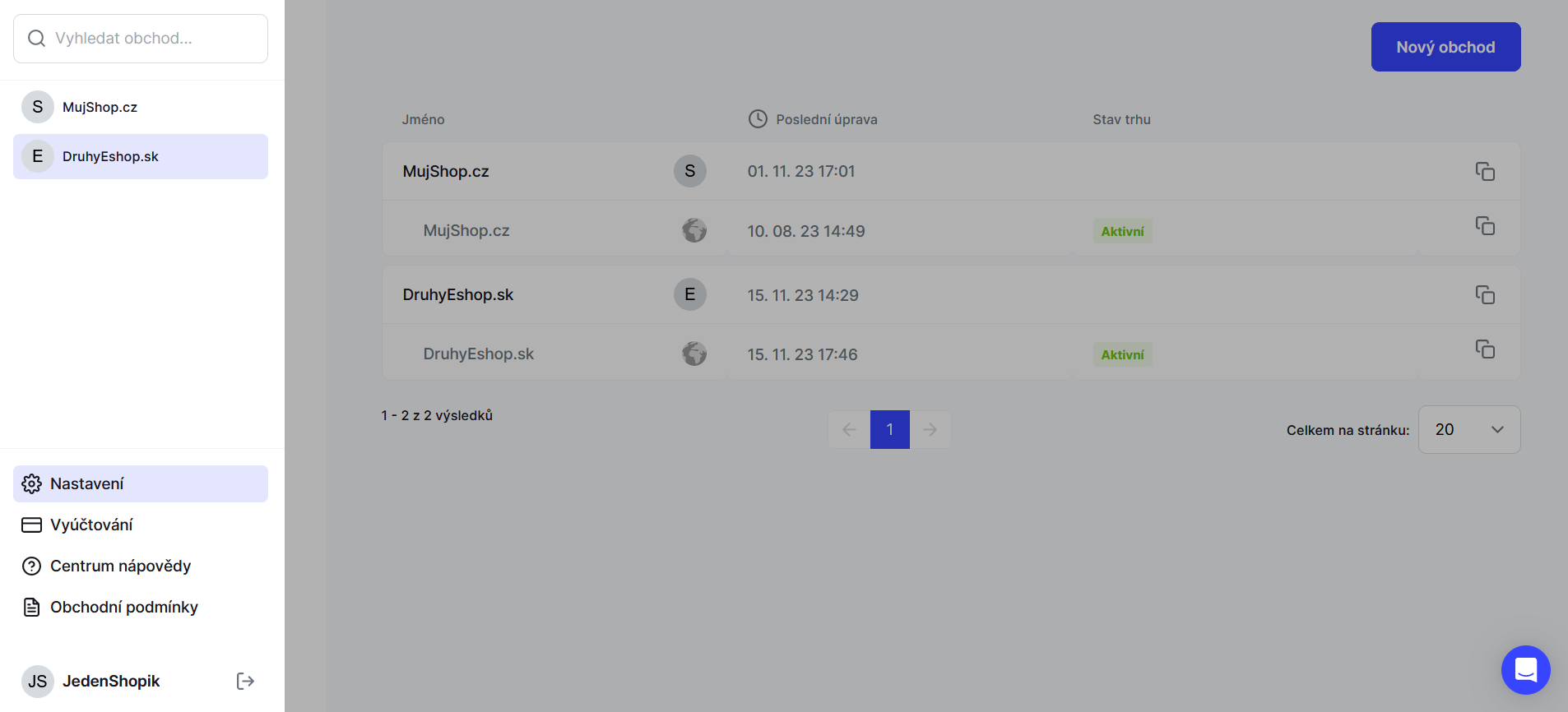
For customers with the Shoptet integration:
- Install the add-on for each e-shop and go through the first pages of the registration.
- Then contact us via the in-app chat or at support@foxdeli.cz and ask us to link these e-shops into one account.
- As soon as we have linked your stores, we will let you know.
For customers with an API connection:
- Contact us via the in-app chat or at support@foxdeli.cz and ask us to link these e-shops into one account.
- As soon as we have linked your stores, we will let you know.
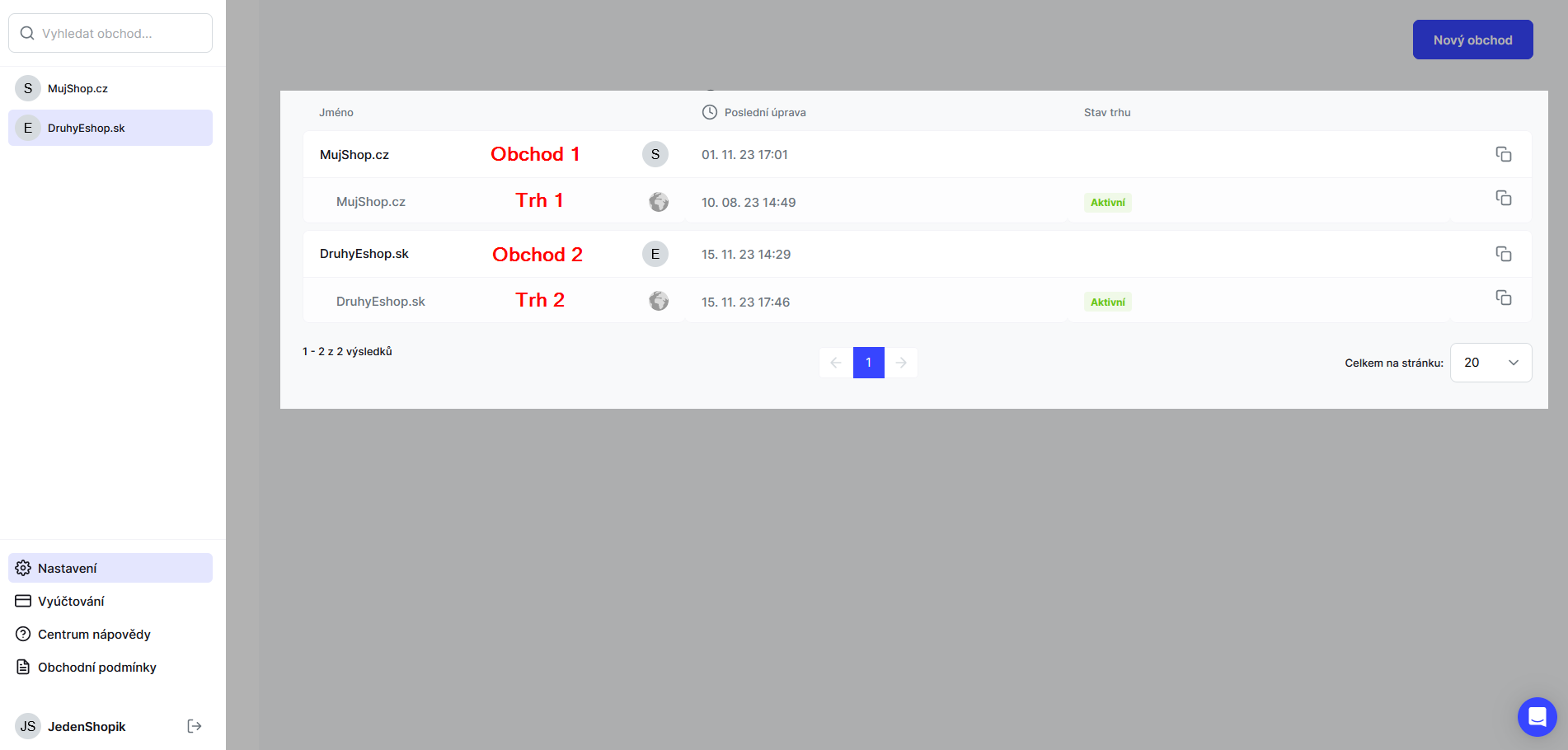
Don't forget to set up valid customer contact details, a footer with links, the correct files and attachments, and your social networks for the other e-shops in the Stores section. Social network links are currently set in markets (the row with the globe icon below the store in bold).
Still have questions?
Contact usMore articles in this category
- Brick-and-mortar pickup places for personal pickup
- Delayed due to carrier time constraints – a workflow status
- Duplicating templates, campaigns and workflows
- How to turn on e-mail communication: working with Workflow
- Sending e-mails from your own domain (DKIM verification)
- SMS to customers
- Connecting your e-shop to Foxdeli – Shopify app
- Getting started with Foxdeli
- Payment details in the order summary
- Attachments in e-mails
Articles in this category
- Brick-and-mortar pickup places for personal pickup
- Delayed due to carrier time constraints – a workflow status
- Duplicating templates, campaigns and workflows
- How to turn on e-mail communication: working with Workflow
- Sending e-mails from your own domain (DKIM verification)
- SMS to customers
- Connecting your e-shop to Foxdeli – Shopify app
- Getting started with Foxdeli
- Payment details in the order summary
- Attachments in e-mails