Gebrüder Weiss
How to connect carrier data 🚚
In the carrier connection form, you need to enter your Consumer key and Consumer secret. You get them as follows:
- Log in to the portal at https://developer.my.gw-world.com.
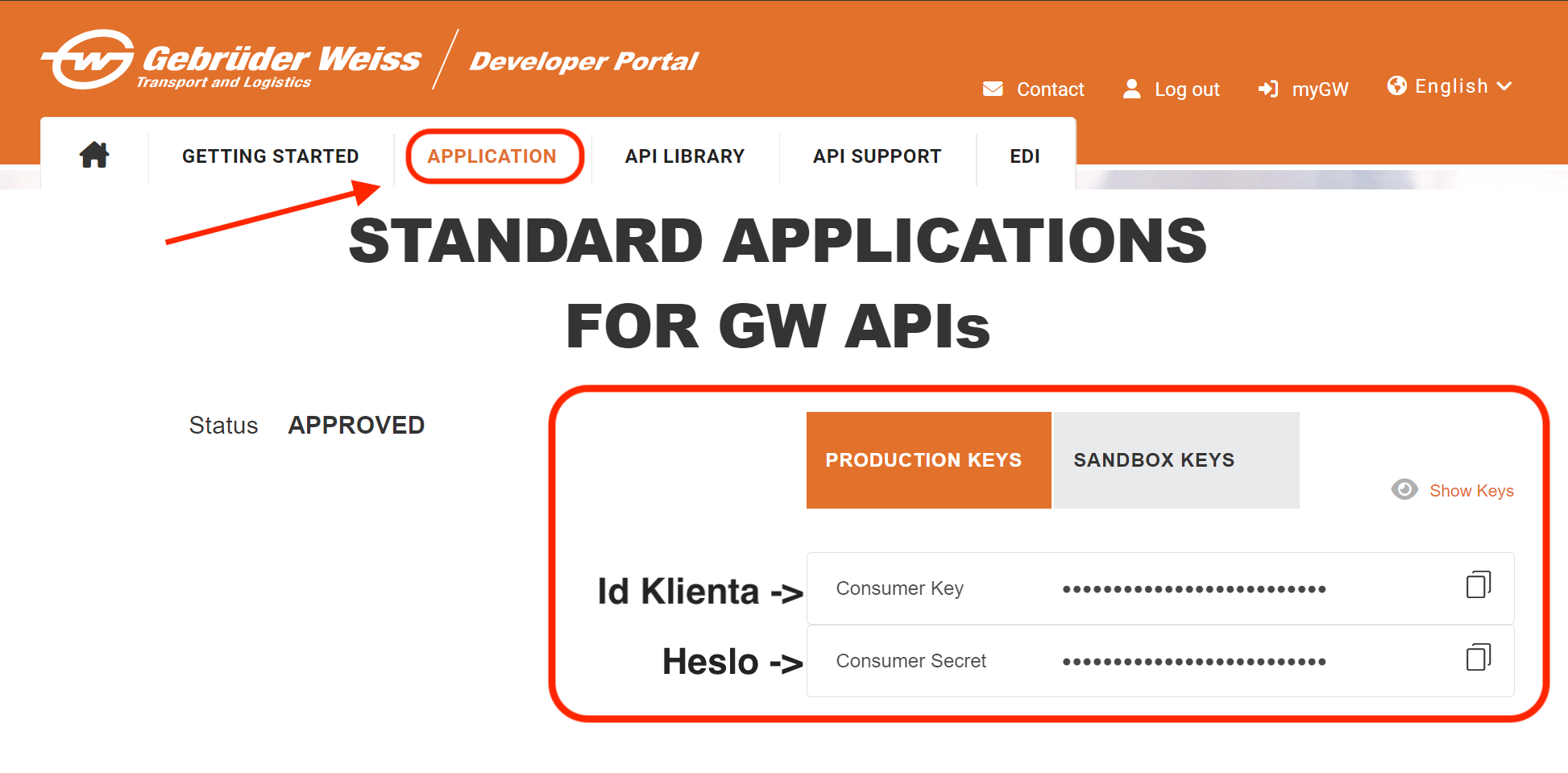
- In the top menu, click APPLICATION and request Production Keys. You'll see your Consumer key (enter it in the Consumer key field in Foxdeli) and Consumer Secret (the Consumer secret field in Foxdeli):
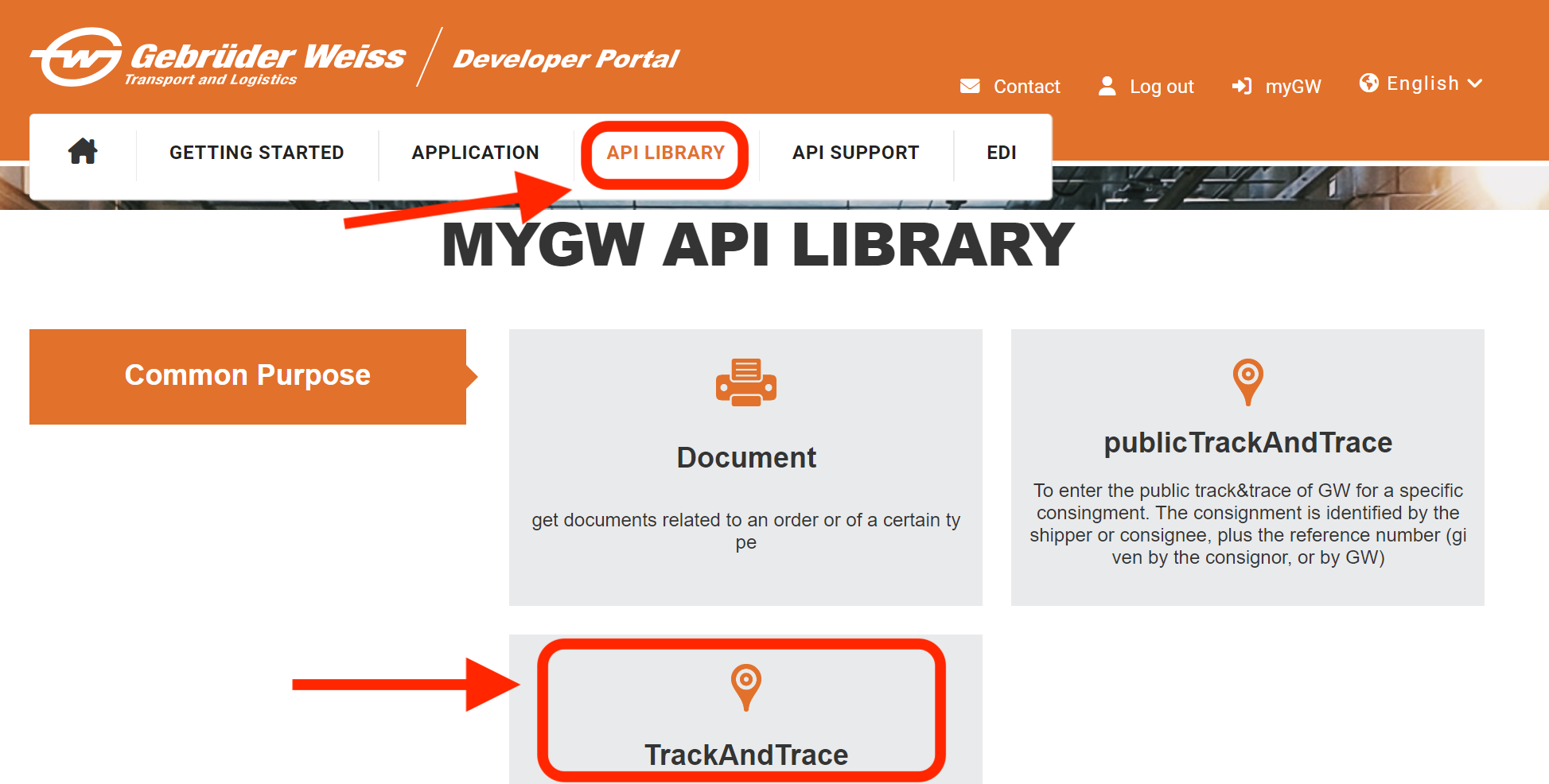
3. Then click API LIBRARY in the top menu and the TrackAndTrace box (version 1.1.0):
4. On the next page, click the Subscribe box:
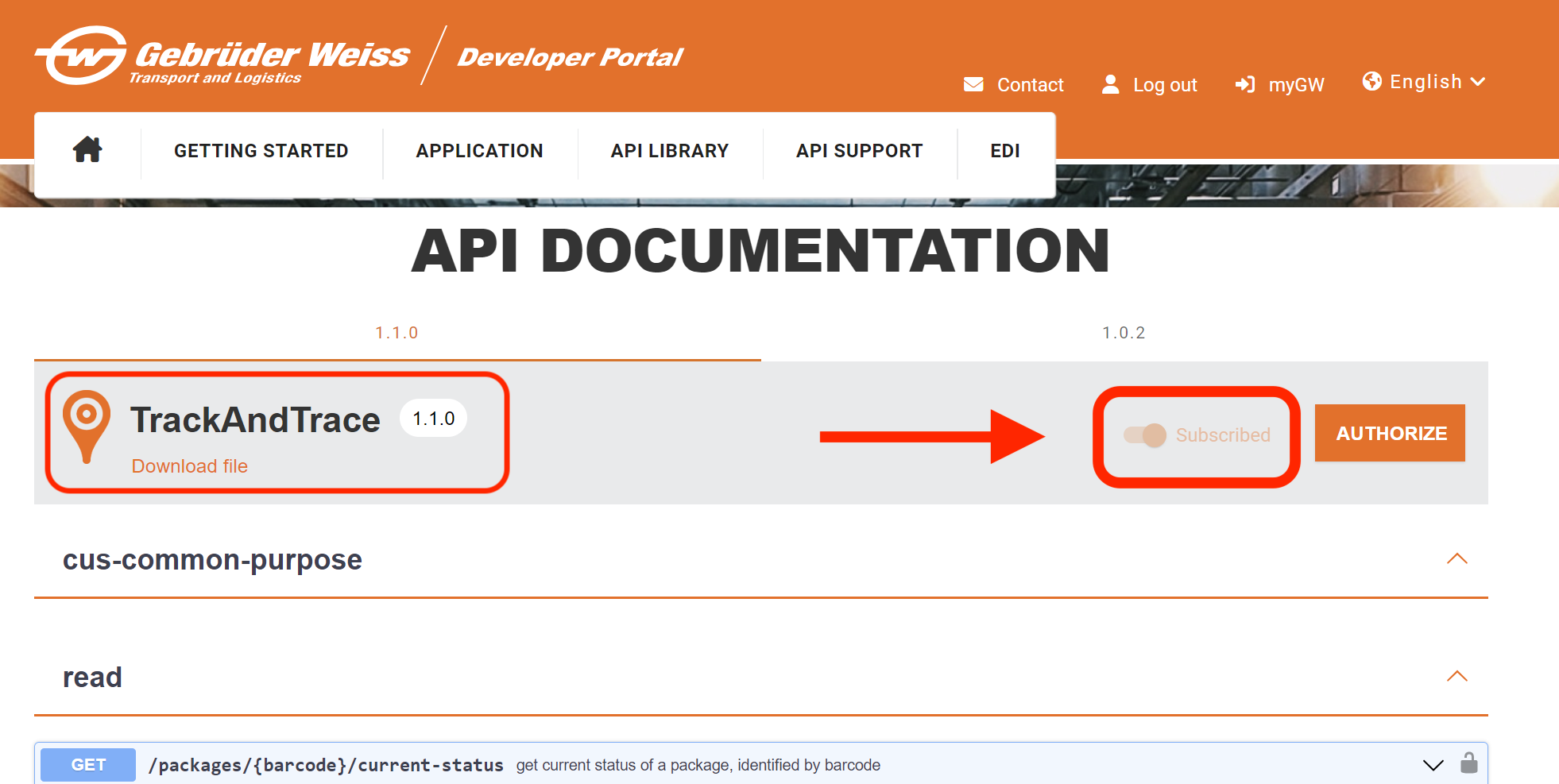
This grants the credentials you created the right to read shipment tracking information. If you don't click the Subscribe box in the TrackAndTrace section, the carrier connection won't work.
If you're not sure what to do, write to us in the chat and we'll be happy to help.
Still have questions?
Contact usMore articles in this category
- Boxpi
- Budbee
- Fáma Futár
- GLS Italy
- Kuryr 123
- VHL Europe
- PPL
- DODO
- FAN Courier
- Messenger
- GLS
- 123 Kurier
- Cargus
- Czech Post
- DB Schenker
- DHL
- DPD
- euShipments
- Express One
- FedEx
- Geis
- InPost
- JAPO
- Landmark
- Liftago
- Packeta (Zásilkovna)
- PBH (Pošta bez hranic)
- Poczta Polska
- Raben
- Sameday
- Slovakia Post (Slovenská pošta)
- Speedy
- Spring GDS
- SPS (Slovak Parcel Service)
- Swiss Post
- Toptrans
- UPS
- WE|DO Intime
- WE|DO Uloženka
Articles in this category
- Boxpi
- Budbee
- Fáma Futár
- GLS Italy
- Kuryr 123
- VHL Europe
- PPL
- DODO
- FAN Courier
- Messenger
- GLS
- 123 Kurier
- Cargus
- Czech Post
- DB Schenker
- DHL
- DPD
- euShipments
- Express One
- FedEx
- Geis
- InPost
- JAPO
- Landmark
- Liftago
- Packeta (Zásilkovna)
- PBH (Pošta bez hranic)
- Poczta Polska
- Raben
- Sameday
- Slovakia Post (Slovenská pošta)
- Speedy
- Spring GDS
- SPS (Slovak Parcel Service)
- Swiss Post
- Toptrans
- UPS
- WE|DO Intime
- WE|DO Uloženka