FedEx
How to connect carrier data 🚚
To connect the carrier, you'll need the following two values:
- Client ID (API key)
- Client Secret (Secret key)
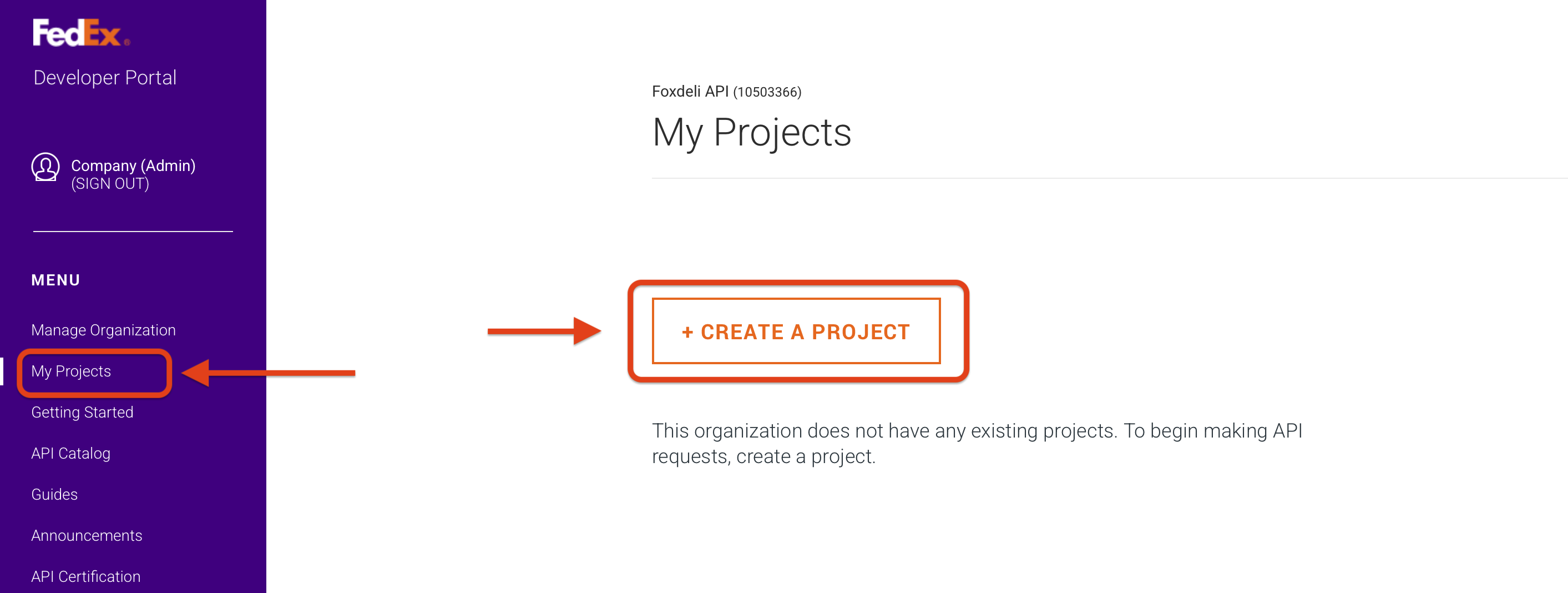
- Go to the carrier portal at https://developer.fedex.com and in the left menu click My Projects -> CREATE A PROJECT. If you see a CREATE AN ORGANIZATION link instead of this button, click it and create an organization first. After that, you'll be able to create a project.
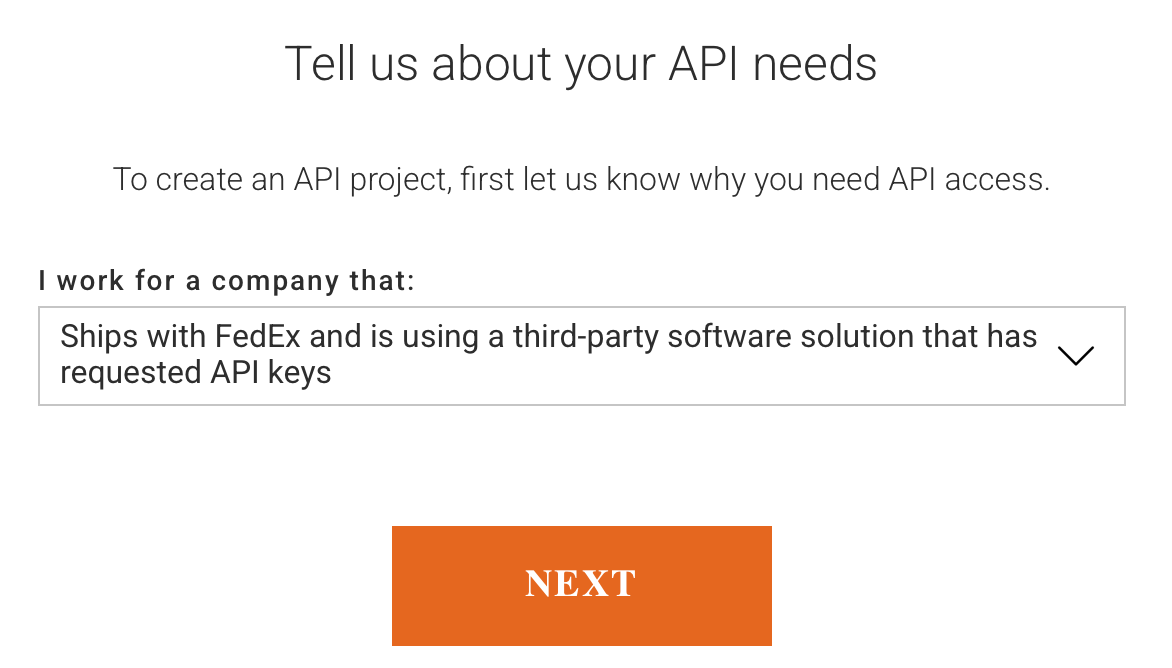
- Continue through the form:
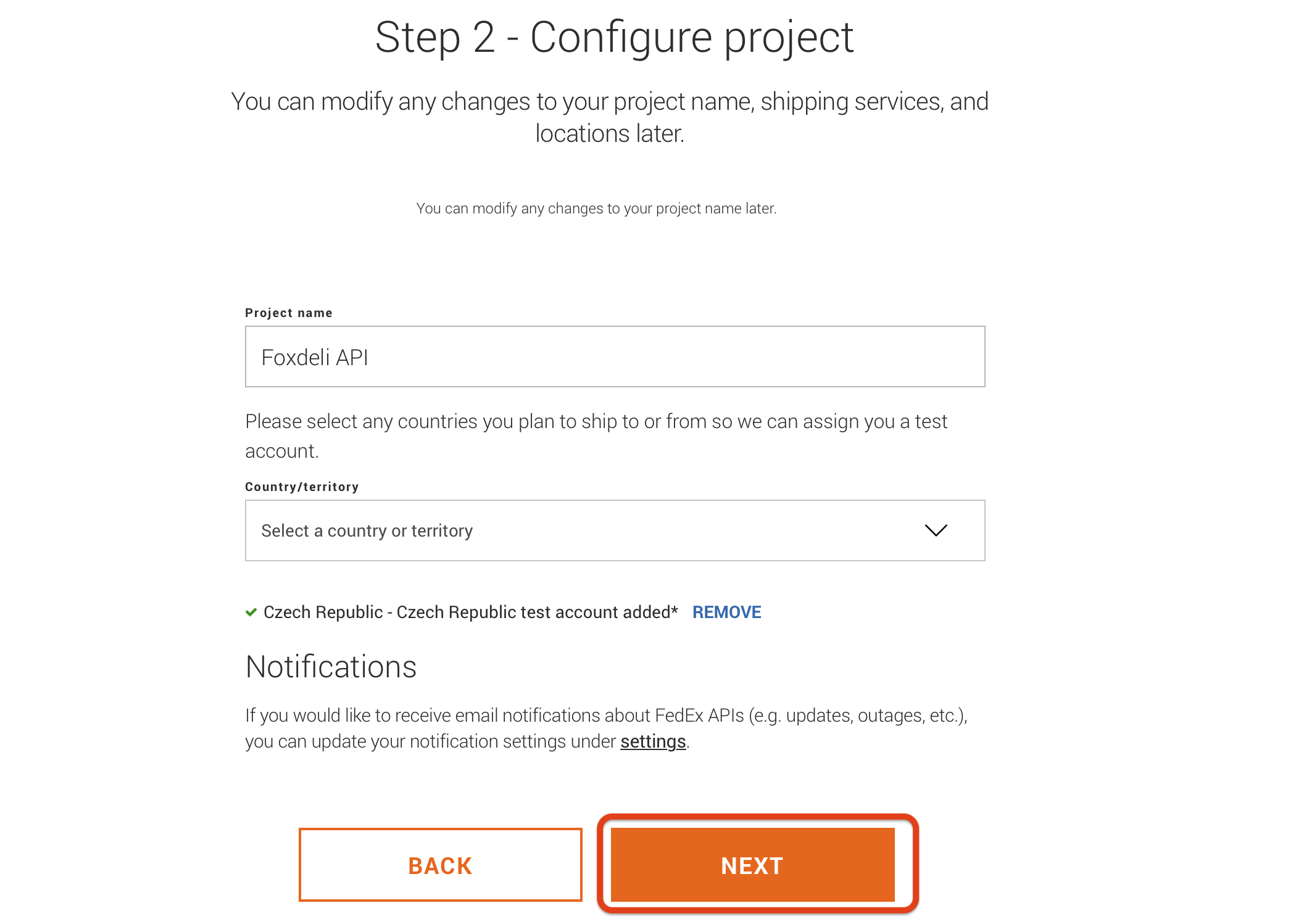
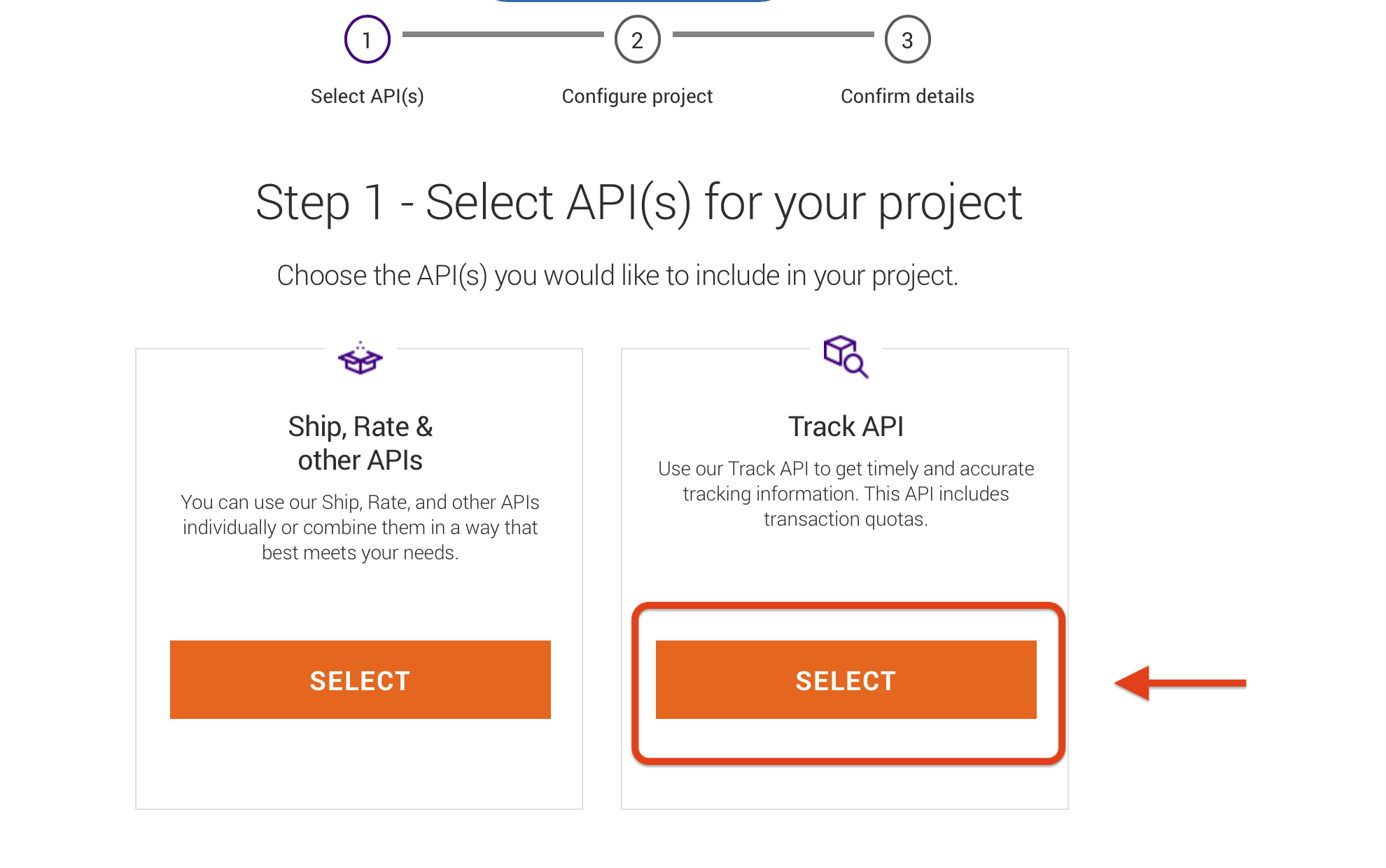
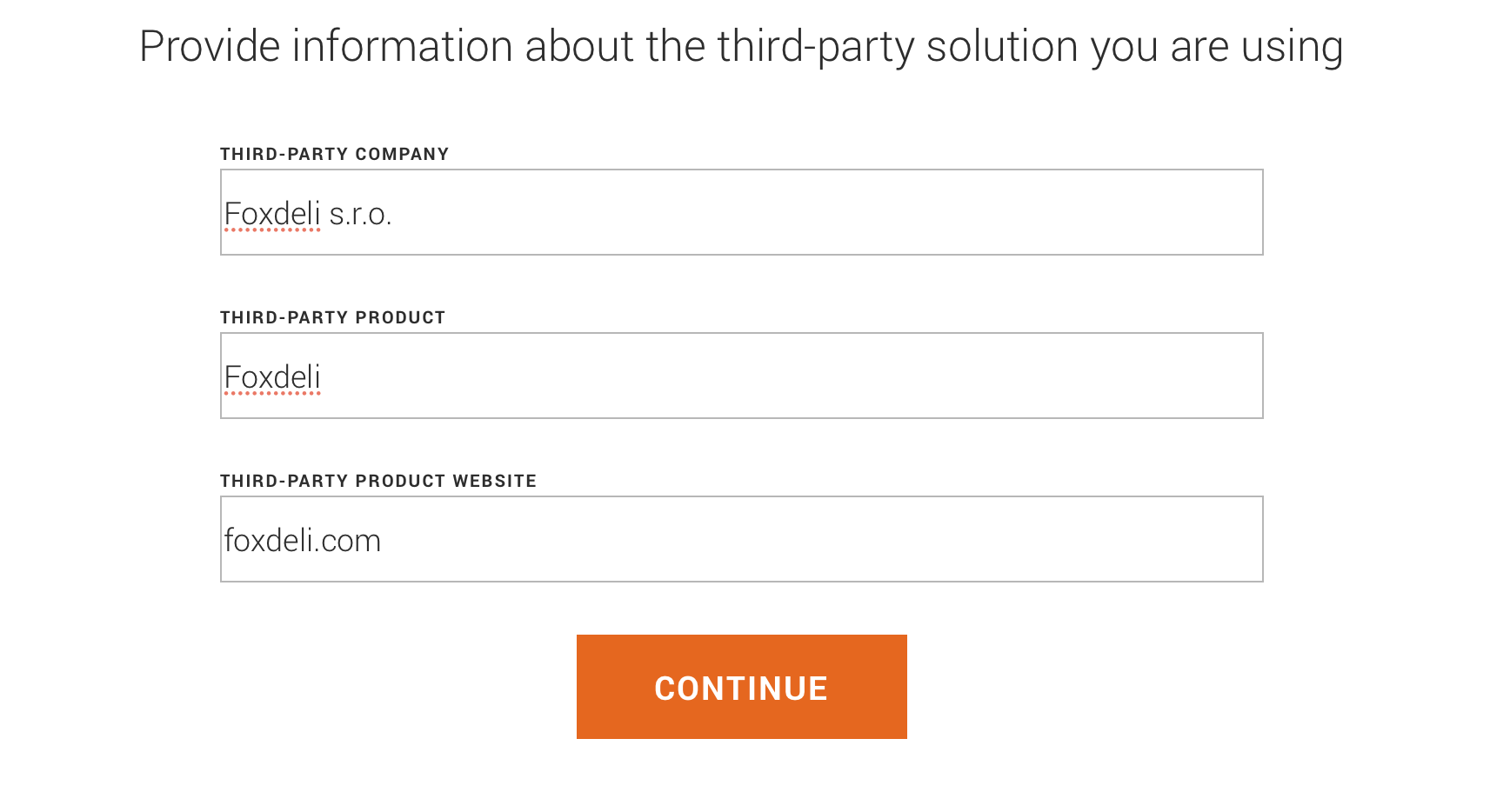
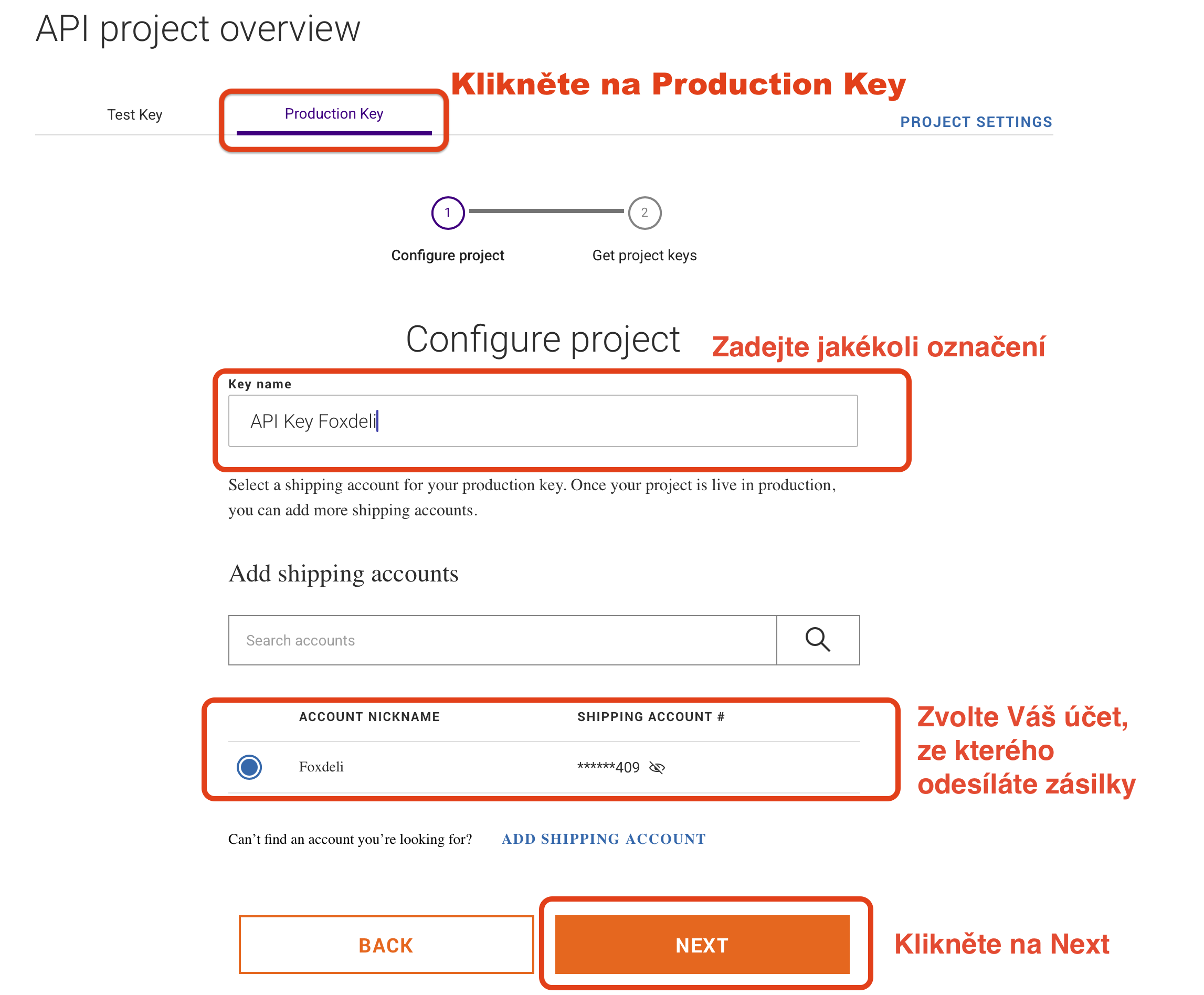
- In the next window, switch the top tab to Production Key, fill in a label (any text) and select the account you send shipments from (you are creating an API key for tracking that account's shipments):
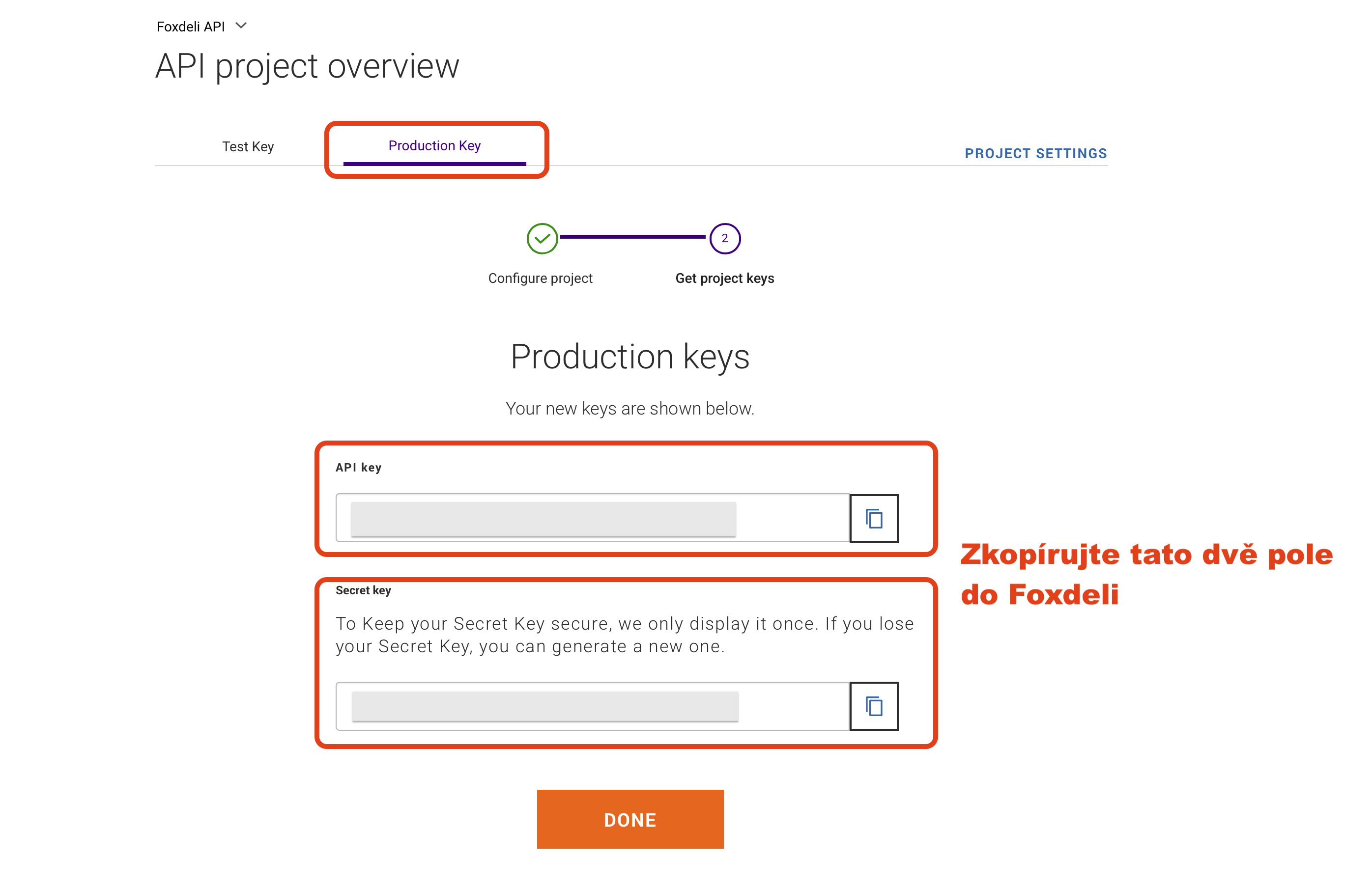
- Copy the displayed API key and Secret key values and paste them into the Carrier connection form in Foxdeli:
If you're not sure what to do, message us in the chat and we'll be happy to help.
Still have questions?
Contact usMore articles in this category
- Boxpi
- Budbee
- Fáma Futár
- GLS Italy
- Kuryr 123
- VHL Europe
- PPL
- DODO
- FAN Courier
- Messenger
- GLS
- 123 Kurier
- Cargus
- Czech Post
- DB Schenker
- DHL
- DPD
- euShipments
- Express One
- Gebrüder Weiss
- Geis
- InPost
- JAPO
- Landmark
- Liftago
- Packeta (Zásilkovna)
- PBH (Pošta bez hranic)
- Poczta Polska
- Raben
- Sameday
- Slovakia Post (Slovenská pošta)
- Speedy
- Spring GDS
- SPS (Slovak Parcel Service)
- Swiss Post
- Toptrans
- UPS
- WE|DO Intime
- WE|DO Uloženka
Articles in this category
- Boxpi
- Budbee
- Fáma Futár
- GLS Italy
- Kuryr 123
- VHL Europe
- PPL
- DODO
- FAN Courier
- Messenger
- GLS
- 123 Kurier
- Cargus
- Czech Post
- DB Schenker
- DHL
- DPD
- euShipments
- Express One
- Gebrüder Weiss
- Geis
- InPost
- JAPO
- Landmark
- Liftago
- Packeta (Zásilkovna)
- PBH (Pošta bez hranic)
- Poczta Polska
- Raben
- Sameday
- Slovakia Post (Slovenská pošta)
- Speedy
- Spring GDS
- SPS (Slovak Parcel Service)
- Swiss Post
- Toptrans
- UPS
- WE|DO Intime
- WE|DO Uloženka