DB Schenker
- Log in to your DB Schenker account (eSchenker).
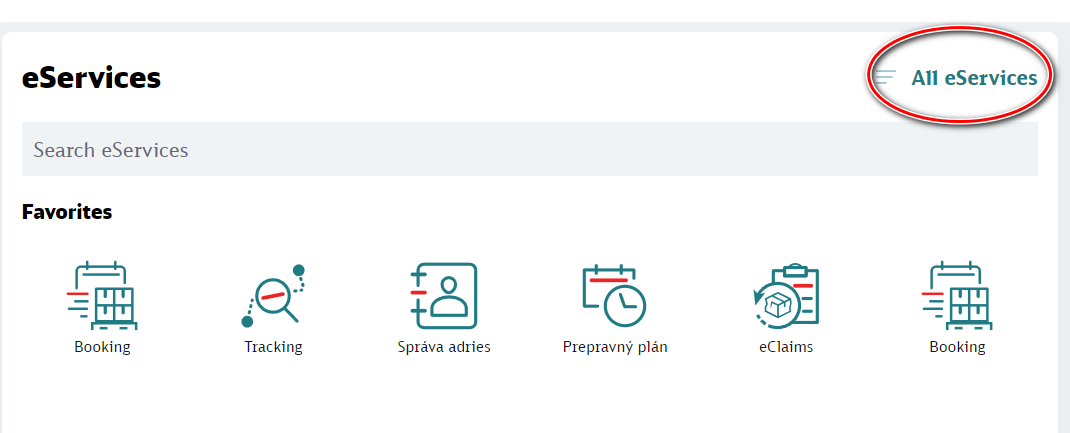
- In the eServices section, click the All eServices button:
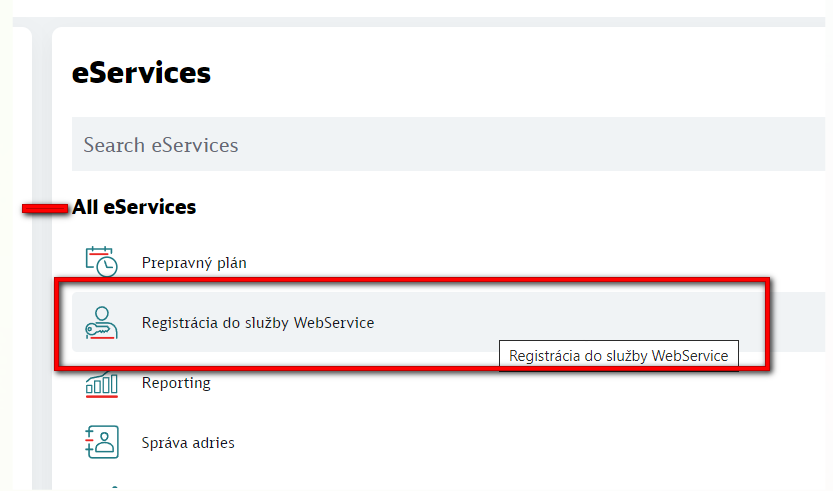
- Click the WebService registration
button.
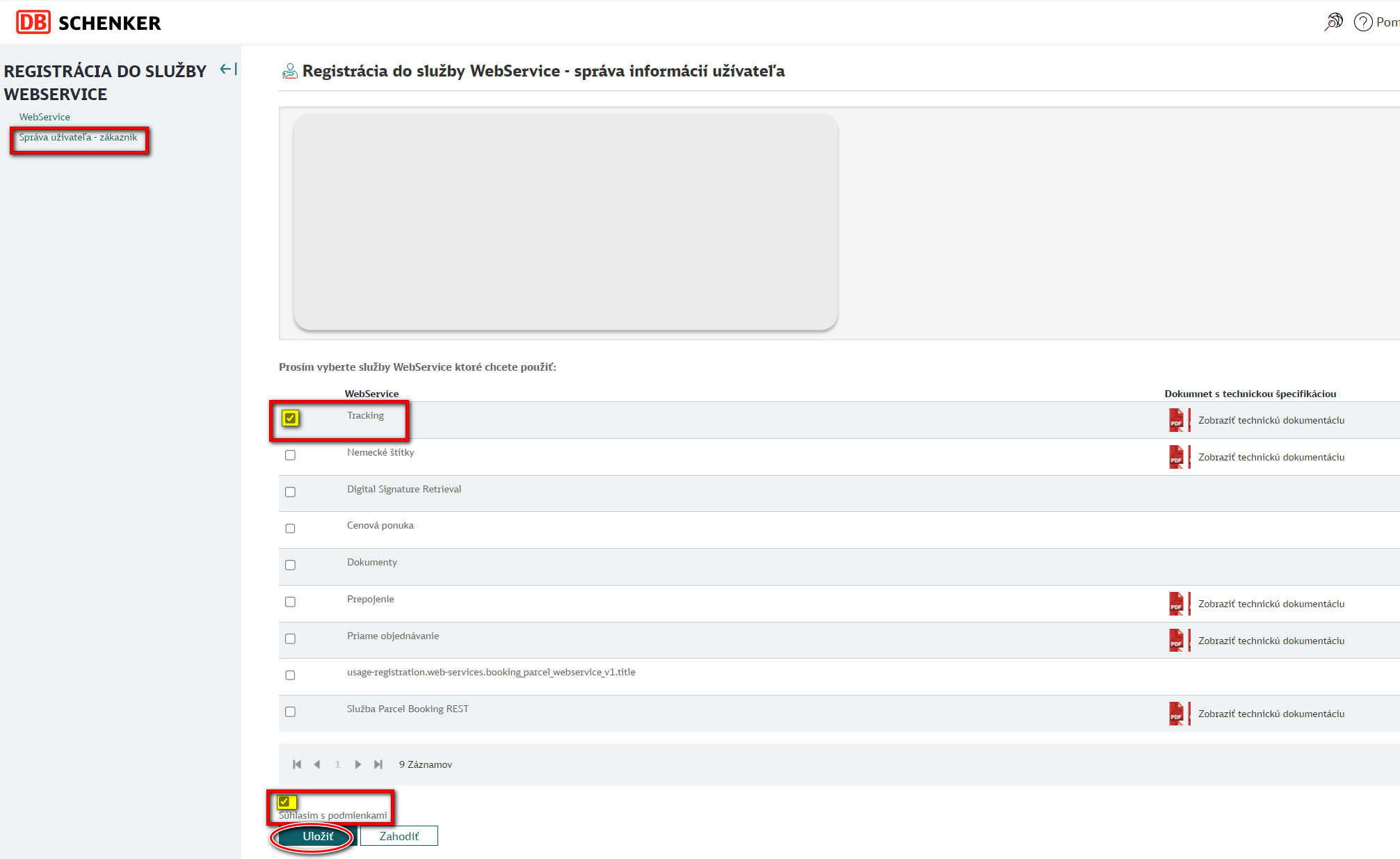
- In the left menu, select the User administration - customer section. On the right side of the page, select/check Tracking, and at the bottom of the page click Save.
- Activation takes up to 24 hours. You will then receive an Access Key by e-mail, which you enter in the carrier connection form in Foxdeli.
Still have questions?
Contact usMore articles in this category
- Boxpi
- Budbee
- Fáma Futár
- GLS Italy
- Kuryr 123
- VHL Europe
- PPL
- DODO
- FAN Courier
- Messenger
- GLS
- 123 Kurier
- Cargus
- Czech Post
- DHL
- DPD
- euShipments
- Express One
- FedEx
- Gebrüder Weiss
- Geis
- InPost
- JAPO
- Landmark
- Liftago
- Packeta (Zásilkovna)
- PBH (Pošta bez hranic)
- Poczta Polska
- Raben
- Sameday
- Slovakia Post (Slovenská pošta)
- Speedy
- Spring GDS
- SPS (Slovak Parcel Service)
- Swiss Post
- Toptrans
- UPS
- WE|DO Intime
- WE|DO Uloženka
Articles in this category
- Boxpi
- Budbee
- Fáma Futár
- GLS Italy
- Kuryr 123
- VHL Europe
- PPL
- DODO
- FAN Courier
- Messenger
- GLS
- 123 Kurier
- Cargus
- Czech Post
- DHL
- DPD
- euShipments
- Express One
- FedEx
- Gebrüder Weiss
- Geis
- InPost
- JAPO
- Landmark
- Liftago
- Packeta (Zásilkovna)
- PBH (Pošta bez hranic)
- Poczta Polska
- Raben
- Sameday
- Slovakia Post (Slovenská pošta)
- Speedy
- Spring GDS
- SPS (Slovak Parcel Service)
- Swiss Post
- Toptrans
- UPS
- WE|DO Intime
- WE|DO Uloženka